The person and their AI assistant
The person sets the question, guides the investigation and decides whether a finding or proposed change is acceptable. Their assistant helps inspect the recorded facts and application context.
A PORTABLE INVESTIGATION
Share the recorded facts and the path through them. Another person can reopen the investigation, inspect what happened and assess the conclusion.
An evidence bundle is a portable investigation. A person and their AI assistant guide the investigation; the Analyser creates the bundle from selected runtime records, the available application graph and a saved walkthrough.
It fixes the selected context for review. Everyone can inspect the same saved material, even after the live system or conversation has moved on. The bundle is a snapshot of the selected evidence, not a copy of every part of the running environment.

WHO PRODUCES IT. WHO USES IT.
The person sets the question, guides the investigation and decides whether a finding or proposed change is acceptable. Their assistant helps inspect the recorded facts and application context.
Open the .fexp bundle in the Analyser to inspect records, follow saved steps and continue investigating. A support handoff can begin from the same case and context.
Read an HTML reel or PDF to follow the findings. Anyone who needs to inspect further can use the accompanying bundle and the Analyser. The report supports their review; it does not make the decision for them.
FROM QUESTION TO SHARED CONTEXT
Open the relevant runtime records and application graph. Choose the question and the observations that bear on it.
A person and their assistant examine the values, follow the graph and save the steps and findings worth reviewing.
The Analyser exports the selected material and saved investigation as an evidence bundle. Export a reel or PDF for readers who need a guided account.
Another person opens the saved context. After an approved change, run the application again and create a new bundle; retain the original so the two investigations can be compared.
| Format | What the recipient does |
|---|---|
| Evidence bundle · .fexp | Reopen the investigation in the Analyser, inspect the captured records and continue the work. |
| HTML reel | Read a guided walkthrough in a browser, with recorded views and explanations. |
| PDF report | Read or share the findings, observed results and supporting explanation as a document. |
The reel and PDF are readable accounts. The bundle supplies the saved investigation for further inspection.
OPEN THE ACTUAL EXAMPLES
These are real captures from synthetic worked examples. No registration is required. To reopen a downloaded reel’s linked investigation in the Analyser, save the HTML reel and its matching bundle in the same folder.
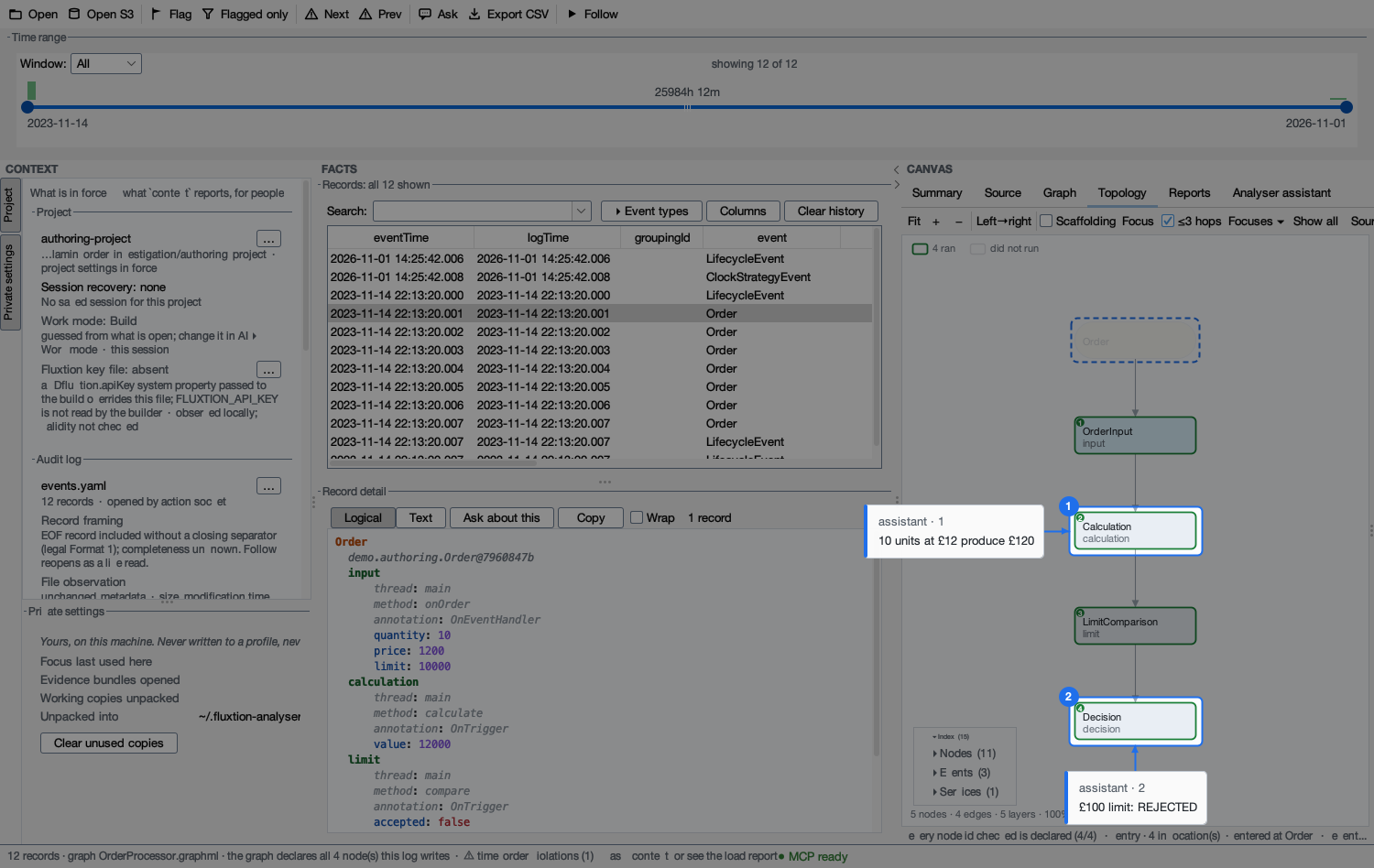
WORKED EXAMPLE 01
Follow the recorded values through four application nodes, then inspect the checks against the stated order rule.
Download HTML reel · Download investigation bundle · Read the PDF report
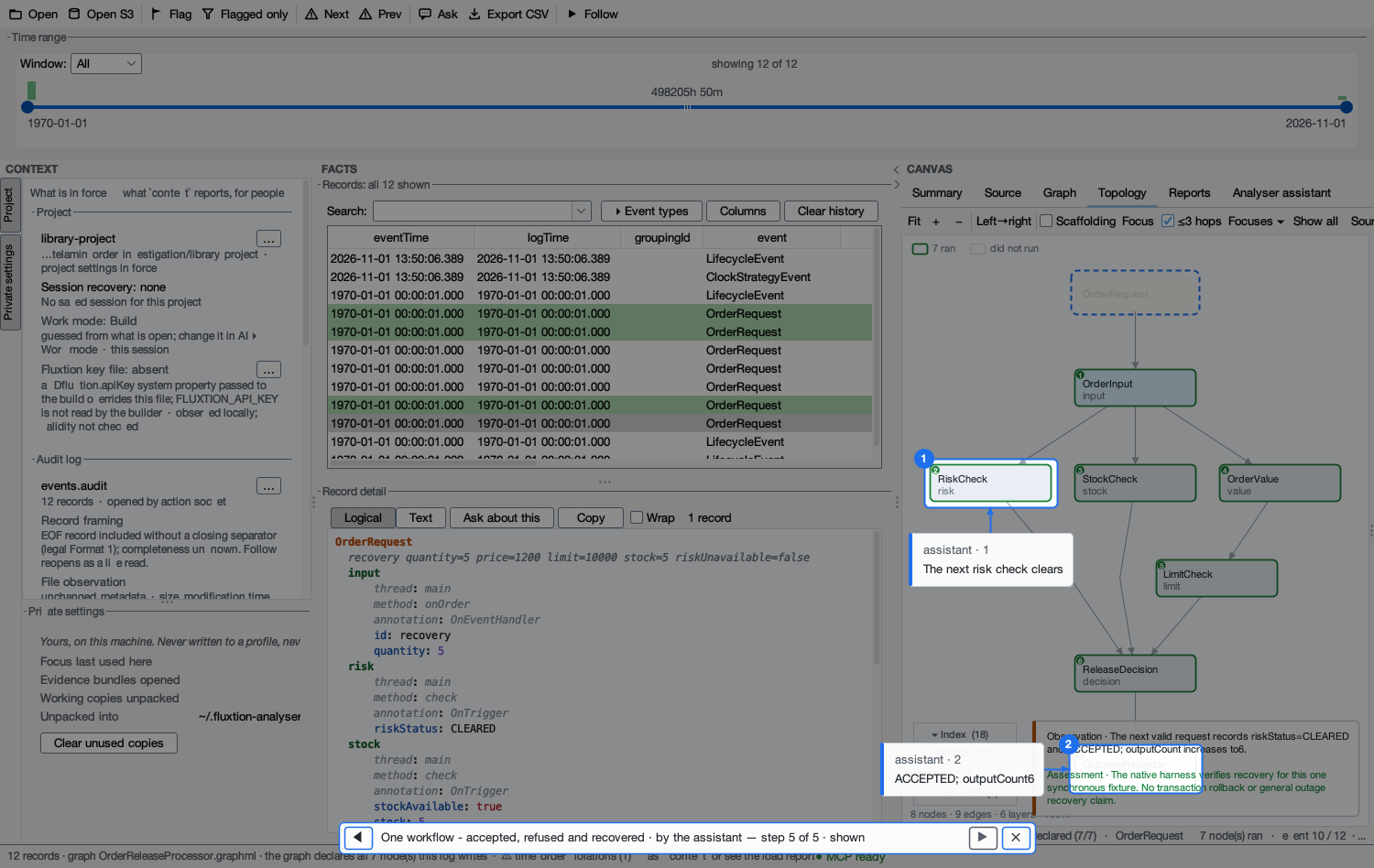
WORKED EXAMPLE 03
See the new processing graph, expected rejection paths and the next accepted order after a synthetic risk-check failure.
Download HTML reel · Download investigation bundle · Read the PDF report
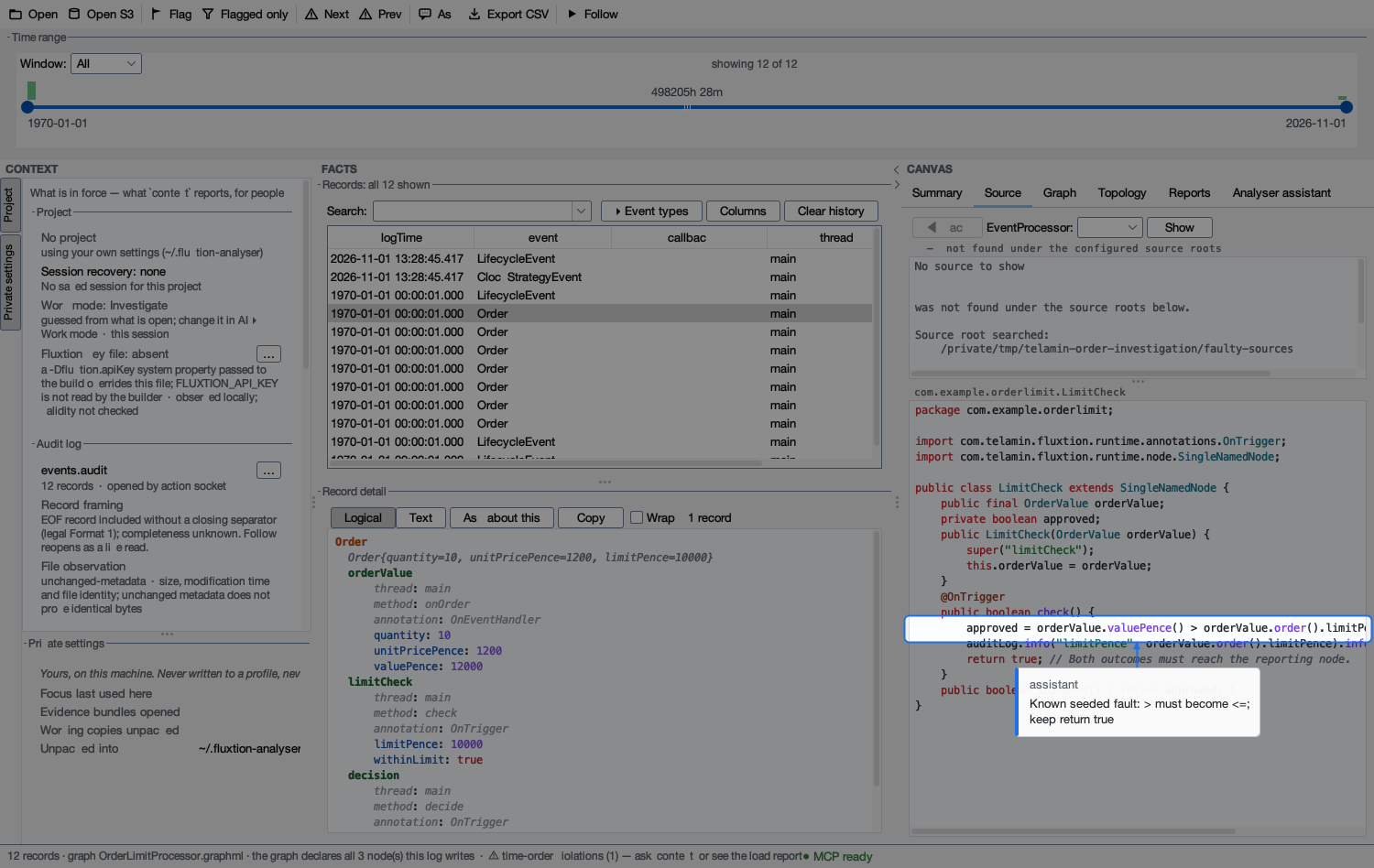
WORKED EXAMPLE 02
Inspect a deliberately introduced comparison fault alongside the recorded acceptance. The worked example checks the correction against the same seven inputs.
Download HTML reel · Download investigation bundle · Read the PDF report
The snapshot preserves selected material; it does not establish that every runtime event or piece of state was captured, or that its timestamps are trusted. An ordinary bundle is unsigned. Member hashes detect changed contents; they do not authenticate the author or prove the identity of a deployed binary.
Source files, a matching application build and local configuration are supplied separately where needed. Account credentials and machine settings are not automatically added, but selected records, notes and screenshots can contain sensitive values. Review the bundle and its readable exports before sharing; automatic redaction is not guaranteed.
People remain responsible for interpreting the evidence, approving changes and deciding what is sufficient for their process.
Detailed evidence and replay scopeEXPLORE THE NEXT STEP
A pilot can establish what to capture, how to investigate it and what another reviewer needs to assess the result.